Get ready to revolutionize your meeting productivity with timeOS, your personalized AI for meeting notes and scheduling. This groundbreaking AI technology integrates seamlessly with your daily workflows, capturing meeting notes and conducting follow-ups from Zoom, Google Meet, and Microsoft Teams. With timeOS, you can finally experience ridiculously accurate meeting notes in your native language, effortlessly turn discussions into actions, and even have your AI draft follow-up emails that sound like you wrote them. Say goodbye to endless scribbling and time-consuming manual tasks – timeOS is here to save you hours every week and transform how you work. Start now and reclaim your valuable time.
Key Benefits:
- Accurately capture meeting notes in your preferred language
- Turn discussions into trackable tasks automatically
- Receive AI-generated follow-up emails that sound like you wrote them
- Stay focused on strategic work, not manual meeting tasks
Customer Testimonials
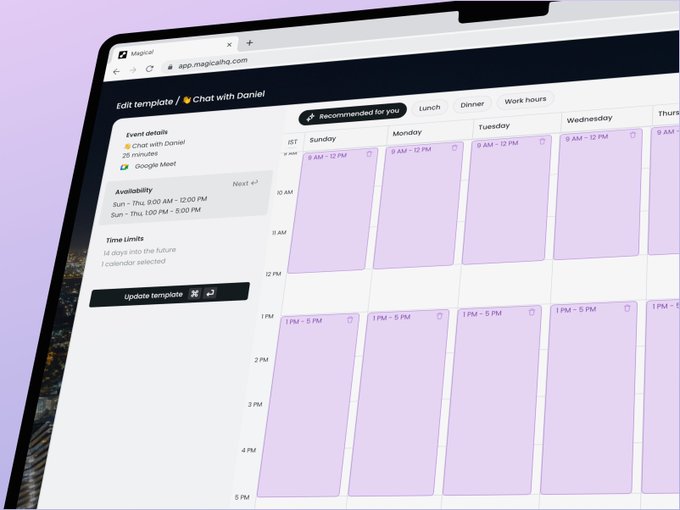
timeOS has gained recognition and praise from satisfied customers. Let’s explore some real-life benefits experienced by users, the productivity increases achieved by using timeOS, and quotes from satisfied customers.
Real-life benefits of using timeOS
Users of timeOS have reported significant benefits from incorporating the AI tool into their daily workflows. These benefits include increased productivity, improved meeting experiences, streamlined task management, and enhanced collaboration. TimeOS enables users to focus on more strategic and value-added activities by automating routine tasks and providing accurate meeting notes.
Productivity increases from the use of timeOS
timeOS has proven to be a game-changer in terms of productivity. By eliminating the need for manual note-taking, follow-up emails, and action item tracking, timeOS saves users valuable time that can be redirected towards more critical tasks. Users have reported saving several hours each week, allowing them to be more efficient and achieve more in their work.
Quotes from satisfied customers
Here are a few quotes from satisfied customers who have experienced the benefits of using timeOS:
-
“timeOS has given me a superpower. The automated note-taker enables me to be fully present at meetings, and to effectively follow up and keep track of action items and come prepared to each meeting.” – Liat Aaronson, Co-Founder, Managing Director at Horizen Labs Ventures
-
“The killer feature – All my meeting notes are automatically added to our internal Notion. Using timeOS saves me 3 hours a week manually summarizing calls and makes sure I never ‘forget’ important action items or new opportunities.” – Tomer Dean, Co-founder & CEO, Lychee
-
“timeOS has been an absolute time saver for me! I can continue looking at my clients rather than incessantly scribbling notes during meetings – and still trust that the summary and follow-up tasks will be accurate.” – Kirsty O’Sullivan, Customer Success Manager, The Ambassador Platform
These testimonials highlight the tangible benefits of using timeOS and its positive impact on users’ productivity and meeting experiences.
Understanding timeOS
Welcome to a comprehensive article to help you understand timeOS, the first time-aware AI built directly into your daily workflows. This article will provide an overview of timeOS, explore its unique features, and delve into how it operates.
Overview of timeOS
timeOS is a personalized AI tool that simplifies and enhances your meeting experiences. It seamlessly integrates with popular calendar apps and meeting platforms such as Zoom, Google Meet, and Microsoft Teams. By accurately capturing meeting notes, conducting follow-ups, and identifying action items, timeOS eliminates the tedious tasks associated with meetings, allowing you to focus on what matters most.
Unique features of timeOS
timeOS offers a range of special features that set it apart from other AI tools. One of its standout features is its multilingual support, which allows users to receive meeting notes and summaries in their preferred language. Additionally, timeOS integrates with various platforms, including task management tools like Notion, ClickUp, Asana, and Slack, ensuring seamless collaboration and organization. Automated follow-up emails drafted by timeOS provide a convenient way to stay connected with colleagues after meetings. Moreover, timeOS leverages AI to actively participate in meetings, helping to facilitate discussions and generate valuable insights.
How timeOS operates
timeOS leverages the power of AI to streamline your daily workflows. It begins by capturing meeting notes in real time and generating accurate summaries. These notes can seamlessly integrate with your preferred calendar app or meeting platform, enabling easy access and organization. timeOS also identifies action items discussed in meetings and automatically syncs them with task management tools, ensuring nothing falls through the cracks. Furthermore, timeOS can draft follow-up emails on your behalf, saving you time and effort. With AI-based meeting participation, timeOS actively listens to discussions, generates insights, and assists in decision-making. The security and privacy of your data are prioritized, with measures in place to protect your information.
The AI Advantage in timeOS
AI plays a crucial role in maximizing the effectiveness of timeOS. Let’s explore the importance of AI in timeOS, how it enhances meeting experiences, and its role in generating meeting notes.
Importance of AI in timeOS
AI is the driving force behind timeOS, enabling it to automate various tasks and provide intelligent insights. By leveraging AI capabilities, timeOS saves valuable time and enhances productivity. It frees you from tedious note-taking, follow-up emails, and action item tracking, allowing you to focus on more strategic aspects of your work.
How AI enhances meeting experiences
timeOS revolutionizes the meeting experience by automating note-taking and generating accurate meeting summaries. With AI, timeOS can analyze and interpret spoken words, converting them into written text in real time. This eliminates manual note-taking, allowing you to engage and contribute fully during meetings. The AI-powered note-taking ensures that every detail is captured accurately, providing a reliable reference for future use.
AI’s role in generating meeting notes
With the help of AI, timeOS can generate meeting notes that are comprehensive, accurate, and tailored to your preferred language. Using natural language processing algorithms, timeOS analyzes the content of the meeting and converts it into detailed notes. This feature is handy for multilingual teams, as timeOS supports many languages.
Multilingual Support in timeOS
timeOS offers multilingual support, bringing a new level of convenience and inclusivity to your meetings. Let’s explore the benefits of multilingual support, the languages supported by timeOS, and the procedure for setting your preferred language.
Benefits of multilingual support
Multilingual support in timeOS allows users to receive meeting notes and summaries in their preferred language, regardless of the language spoken during the meeting. This feature eliminates the language barrier and ensures all participants can access and understand the meeting content. It promotes effective communication and collaboration among diverse teams, creating a more inclusive work environment.
List of supported languages
timeOS supports a wide range of languages to cater to its global user base. Some supported languages include English, Spanish, French, German, Chinese, Japanese, Korean, Italian, Portuguese, and many more. Regardless of the language spoken in the meeting, timeOS can accurately capture and translate the content into your preferred language.
Procedure for setting preferred language
Setting your preferred language in timeOS is simple and intuitive. Upon signing up for timeOS, you can navigate to your account settings and select your preferred language from the available options. Once set, timeOS will ensure that all meeting notes and summaries are generated in your chosen language, providing a personalized experience.
Seamless Integration with various platforms
timeOS seamlessly integrates with multiple platforms, enhancing productivity and streamlining daily workflows. Let’s explore the integration capabilities of timeOS with calendar apps, meeting platforms, and task management tools.
Integration with calendar apps
timeOS integrates smoothly with popular calendar apps, such as Google Calendar, Outlook Calendar, and Apple Calendar. This integration allows timeOS to access your scheduled meetings, ensuring that it generates meeting notes and summaries without manual input. Syncing with your calendar, timeOS helps you stay organized and prepared for your upcoming appointments.
Integration with meeting platforms (Zoom, Google Meet, Microsoft Teams)
To provide a comprehensive meeting experience, timeOS integrates seamlessly with popular meeting platforms like Zoom, Google Meet, and Microsoft Teams. By connecting with these platforms, timeOS can capture real-time meeting notes, generate accurate summaries, and actively participate in meetings. This integration eliminates manual note-taking and enhances collaboration during virtual sessions.
Integration with task management tools (Notion, ClickUp, Asana, Slack)
timeOS integrates with various task management tools, including Notion, ClickUp, Asana, and Slack. This integration allows timeOS to automatically sync action items discussed in meetings with your preferred task management tool. TimeOS ensures that action items are promptly assigned, tracked, and completed by streamlining this process. This integration enhances team collaboration and improves task management efficiency.
Action Items Identification and Syncing
timeOS provides a convenient solution for identifying and managing action items discussed in meetings. Let’s explore how timeOS identifies action items, its auto-syncing feature with task management tools, and the benefits of action item management.
How timeOS identifies action items
timeOS leverages AI capabilities to analyze meeting discussions and identify action items. By analyzing verbal cues, keywords, and context, timeOS can accurately identify tasks or decisions that require action. This automated process eliminates the manual effort of identifying action items, ensuring nothing gets overlooked.
Auto-syncing feature with task management tools
timeOS seamlessly syncs identified action items with popular task management tools like Notion, ClickUp, Asana, and Slack. This auto-syncing feature ensures that action items are promptly transferred to your preferred task management tool, allowing you to track and manage tasks efficiently. By eliminating manual data entry, timeOS saves you time and reduces the risk of overlooking essential action items.
Benefits of action item management
Efficient action item management is crucial for effective project execution and task completion. Using timeOS to identify and sync action items, you can ensure that tasks are assigned, tracked, and completed promptly. This enhances collaboration, improves productivity, and reduces the risk of missed deadlines or miscommunication.
Automated Follow-Up Emails
timeOS takes the hassle out of follow-up emails by automatically generating them on your behalf. Let’s explore the mechanism behind auto-generated follow-up emails, the customization options available, and the advantages of using this automation feature.
The mechanism behind auto-generated follow-up emails
After every meeting, timeOS utilizes AI algorithms to analyze the meeting content and generate a follow-up email summarizing the discussed key points and action items. This automated process saves you time and effort, ensuring you can follow up with colleagues promptly.
Customizing the follow-up emails
While timeOS can generate follow-up emails automatically, it also offers customization options. Once the follow-up email is generated, you can fine-tune the content according to your preferences. This customization lets you add a personal touch and ensure the email accurately reflects your communication style and objectives.
Advantages of automated follow-up emails
Automated follow-up emails provided by timeOS offer several advantages. Firstly, they save you time, as you no longer need to draft and send individual follow-up emails manually. Secondly, timeOS ensures that the follow-up emails are comprehensive and accurate, as they are generated based on the AI’s analysis of the meeting content. This eliminates the risk of missing important details or action items. Lastly, automated follow-up emails help to maintain excellent communication with your colleagues, keeping everyone on the same page and promoting collaboration and accountability.
Meeting Participation through AI
timeOS leverages AI to actively participate in meetings actively, offering valuable insights and facilitating discussions. Let’s explore the capabilities of AI in a meeting, how to set up AI for a meeting, and the benefits of AI-based meeting participation.
Capabilities of AI in a meeting
AI in timeOS possesses several capabilities that enhance meeting participation. It can listen to real-time meeting discussions, accurately capture meeting notes, generate summaries, identify action items, and provide intelligent insights. AI is a valuable virtual teammate, offering support and enhancing collaboration during meetings.
How to set up AI for a meeting
Setting up AI in timeOS for a meeting is a straightforward process. AI will automatically participate in the meeting after integrating timeOS with your preferred meeting platform (Zoom, Google Meet, or Microsoft Teams). AI will actively listen to the discussions, capture meeting notes, and assist in generating insights. With a seamless setup, you can focus on the meeting content while timeOS handles the note-taking and information processing.
Benefits of AI-based meeting participation
AI-based meeting participation offers several advantages. Firstly, it allows you to be fully present during meetings, as AI takes note-taking and summarizing. This enables you to engage in discussions and contribute more effectively and actively. Secondly, AI-generated insights provide valuable information and perspectives, enhancing decision-making and problem-solving. Lastly, AI-based meeting participation promotes equal participation and inclusivity, as it eliminates bias and ensures that every participant’s input is captured and valued.
Integrations
timeOS offers a range of integrations with various platforms, enhancing its capabilities and compatibility. Let’s explore the range of timeOS integrations, including syncing meeting insights with Notion and organizing action items with ClickUp or Monday.com.
Range of timeOS integrations
timeOS is built to seamlessly integrate with various platforms, allowing users to leverage its capabilities in their preferred tools. In addition to integrating with popular calendar apps and meeting platforms, timeOS also offers integrations with task management tools, cloud storage services, and communication platforms. These integrations expand the functionality of timeOS, ensuring a cohesive and efficient workflow across multiple tools.
Syncing meeting insights with Notion
timeOS integrates smoothly with Notion, a popular collaborative workspace tool. This integration lets users sync meeting insights directly into their Notion workspace, including meeting notes, summaries, and action items. By seamlessly transferring meeting information to Notion, timeOS simplifies organization and enhances team collaboration.
Organizing action items with ClickUp or Monday.com
For users who prefer task management tools like ClickUp or Monday.com, timeOS offers integrations that streamline the organization of action items. By automatically syncing identified action items with these task management platforms, timeOS ensures that tasks are assigned, tracked, and completed efficiently. This integration eliminates the need for manual data entry, reducing the risk of errors and enhancing task management workflows.
Security and Privacy in timeOS
timeOS prioritizes the security and privacy of its users’ data. Let’s explore the security-first approach timeOS takes, the data encryption measures in place, and the user’s control over their data.
Security-first approach
Security is a top priority for timeOS. The platform has been designed with a security-first approach, ensuring user data is always protected. This approach involves implementing robust security measures and continuously monitoring and updating security protocols to address emerging threats.
Data encryption and privacy measures
To safeguard user data, timeOS utilizes secure and reliable hosting provided by AWS (Amazon Web Services). During transit, data is encrypted using AES-256 encryption, ensuring that information shared between timeOS and its users remains confidential and protected from unauthorized access. Additionally, meeting summaries stored within timeOS services are securely stored and subject to strict privacy measures.
User control over data in timeOS
timeOS understands the importance of user control over their data. Users can request the deletion of their data from timeOS at any time. This ensures that users have complete control over their personal and meeting-related data. Furthermore, meeting transcripts and recording pages are private and generated on-demand, ensuring that sensitive information remains secure. These pages also automatically expire after three hours, enhancing privacy and data protection.
Conclusion
In conclusion, timeOS is an advanced AI tool that significantly enhancing meeting experiences and productivity. By seamlessly integrating with various platforms, providing multilingual support, automating note-taking and follow-up emails, and actively participating in meetings, timeOS simplifies and streamlines daily workflows. With a security-first approach and user-controlled privacy measures, timeOS ensures the protection and confidentiality of user data. Utilizing timeOS allows you to optimize your meeting experiences, increase productivity, and focus on what matters most in your work.
